
What a push is: definition and context
A push is a server-initiated message delivered through a platform push service to a client that has granted permission and holds a valid subscription or device token; this applies to both web and mobile channels and is the baseline definition product and engineering teams should use when planning notifications, as summarized by web platform guidance MDN Push API.
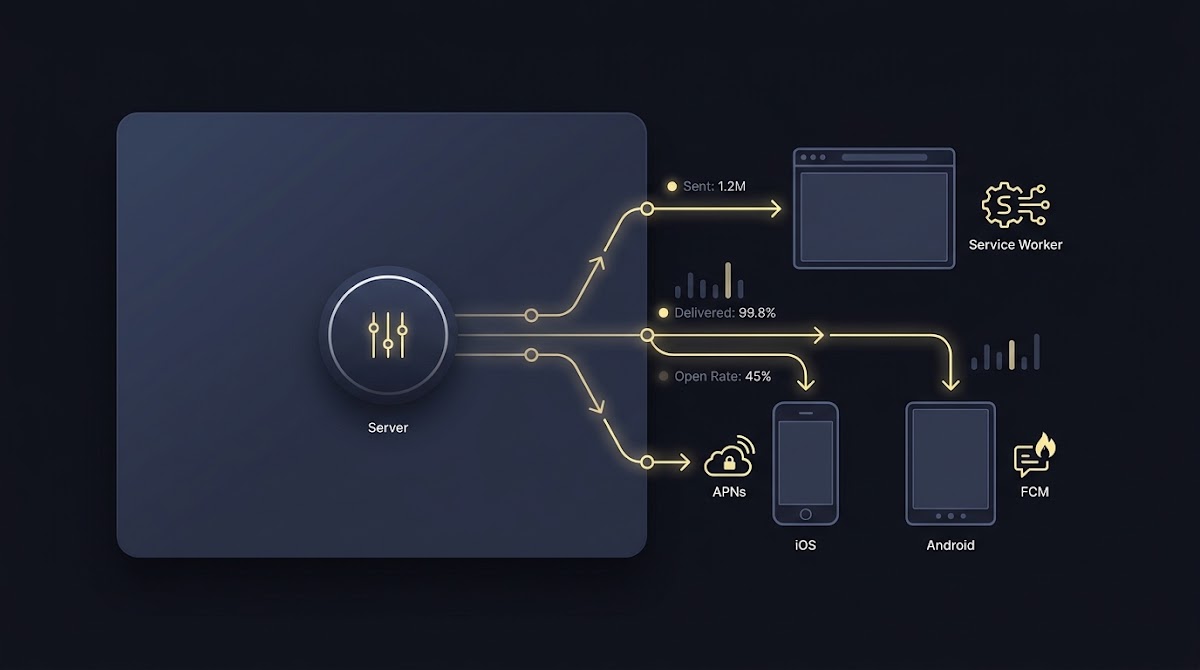
Server-initiated push messages are routed through platform services such as browser push services, APNs, or FCM after a client grants permission and provides a subscription endpoint or device token; the application server sends encrypted or platform-formatted payloads to those services, which then deliver to the device according to platform rules and user settings.
For a non-technical example, imagine a sports app that wants to notify a user when a live score changes: the server sends the alert to the platform delivery layer, which then delivers to the device only if the user previously allowed notifications. This contrasts with a pull model where the client periodically asks the server for updates.
Server-initiated messages differ from client pull in timing and efficiency: push allows near-instant delivery without repeated client polling, while pull requires the client to check for new data at intervals and is less efficient for real-time events.

Server-initiated messages vs client pull, What Is a Push
In product stacks, push belongs to the outbound communication layer that complements in-app activity, email, and background data sync; teams often use push for time-sensitive items like alerts and short reminders while reserving email for longer-form communication or receipts.
How push delivery works: web push versus mobile push
Web push uses a standards-based model where the client registers a Service Worker, obtains a subscription with an endpoint, and the application server sends encrypted payloads to the browser push service endpoint linked to that subscription, following the W3C Push API and implementation notes W3C Push API.
Web push flow, simplified into steps:
- Register a Service Worker in the site code.
- Request a push subscription from the browser and capture the subscription endpoint.
- Server holds the subscription and sends encrypted messages to the browser push service endpoint for delivery.
On iOS, remote notifications require the server to send payloads together with a device token to the Apple Push Notification service, which handles queuing and applies Apple platform rules before delivery to the app instance on the device, as documented in Apple’s developer guides APNs overview.
Android relies on Firebase Cloud Messaging for push delivery: apps register with FCM, the server sends messages using a service account or server key, and FCM queues and routes notifications to devices, with the platform enforcing payload constraints and delivery behavior About Firebase Cloud Messaging.
Mobile push flow, summarized:
- App registers with the platform and obtains a device token or registration id.
- Server stores the token and sends messages to APNs or FCM with the correct credentials.
- The platform service queues, filters, and delivers messages according to device state, user settings, and platform rules.
Core implementation steps for engineers
Start by generating and securing the server credentials each platform requires, for example an APNs auth key or certificate for iOS, a Firebase service account for Android, and VAPID keys for web push; protect these credentials in a secrets store and limit access to the services that need them.
Prepare your push credentials and runbook
Download or assemble an internal secure-credentials checklist before integrating push so the team knows where keys live, how they rotate, and which environments are authorized.
Registering clients and storing identifiers means the client must request permission, obtain a browser subscription endpoint or a device token, and send that identifier to your backend for persistence and use in message targeting; ensure you handle subscription updates and expirations by listening for changes on the client and reconciling on the server.
Construct payloads with platform constraints in mind: keep web push payload sizes reasonable and encrypted, and respect APNs and FCM limits and field expectations when building notification or data messages, testing both foreground and background handling.
Security and lifecycle cautions for engineers: rotate keys regularly, detect and handle token expiration or invalidation, and avoid storing raw credentials in client code. Also instrument logs and error handling so token and credential failures surface quickly in staging and production.
Client-side handling and display considerations
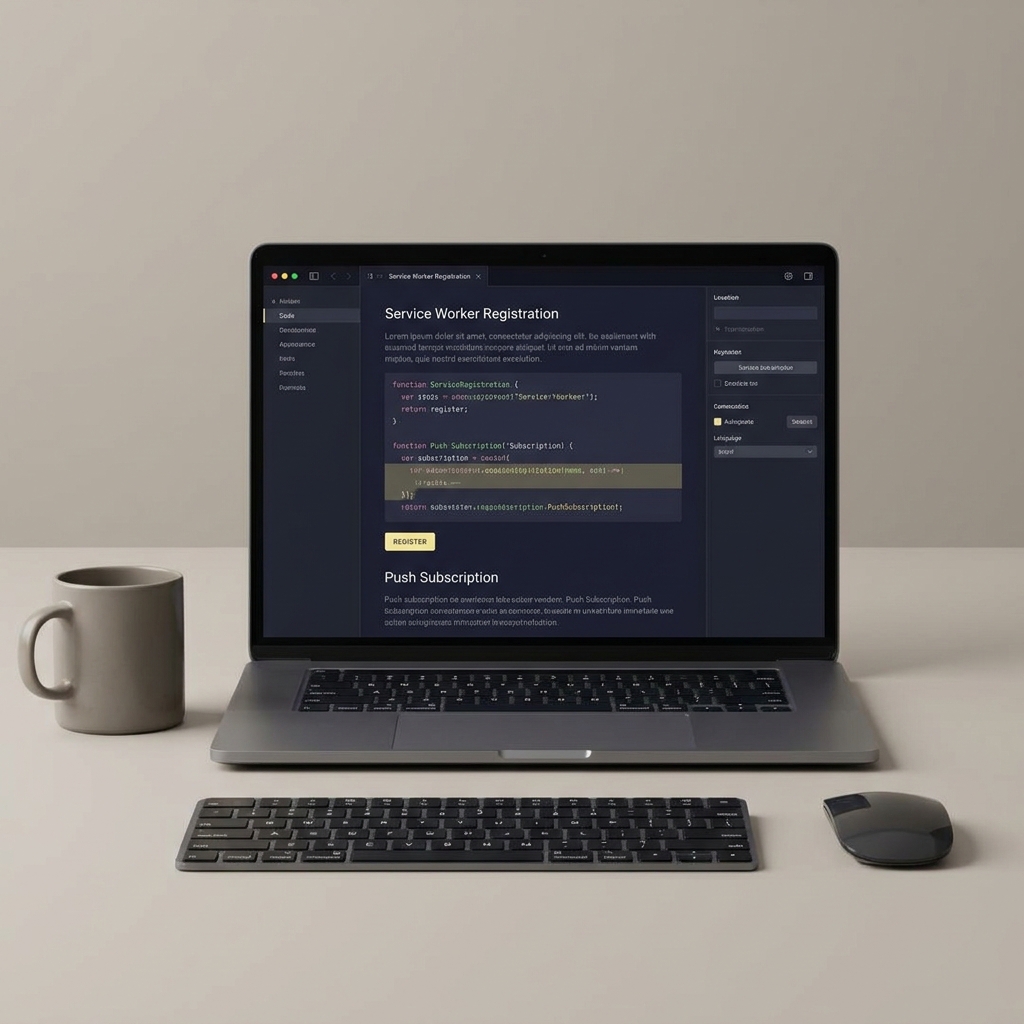
On the web, a Service Worker listens for push events and can decrypt payloads, show a system notification, or perform background work; the Service Worker context is required when the page is not open, and applications should implement concise handlers to avoid long-running tasks in that context MDN Push API.
Foreground versus background presentation differs by platform: while a background Service Worker or platform layer typically posts a system notification, foreground handlers inside the active app can present a custom in-app UI or banners; choose a consistent user experience that maps urgency to presentation style.
Platforms may suppress or defer delivery due to user device settings such as Do Not Disturb or focused modes, and Android additionally uses notification channels and importance levels to group and throttle alerts; design notifications and channels intentionally so users can control noise without losing critical messages.
A short example: if a sports app receives a live score update while the match page is open, the app can show an in-app banner instead of repeating a system notification, reducing duplicate interruptions and improving perceived relevance.
Permissions, opt-in UX and engagement benchmarks
Modern OS versions and browsers require explicit runtime permission for notifications, so teams must treat permission prompts as a product decision: choose timing, explain value, and avoid asking at first run without context, consistent with platform guidance and observed best practices MDN Push API.
Industry benchmark reports indicate that opt-in and engagement vary significantly by platform and vertical and that personalization and segmentation are correlated with higher performance; use these insights to set realistic expectations and to design experiments that measure lift by segment rather than overall averages Mobile App Experience Benchmarks 2025.
Practical tactics to improve opt-in include pre-permission prompts that explain value, progressive prompts after users complete a beneficial action, and segmentation so early prompts reach users most likely to accept and derive value from notifications.
Troubleshooting common failures and diagnostics
Top causes of failed delivery include expired or revoked tokens and subscriptions, invalid or rotated credentials, payload-size or formatting errors, and users disabling notifications on their devices; investigate these areas first when messages stop arriving reliably About Firebase Cloud Messaging.
When debugging credential or payload issues, inspect the platform responses and vendor dashboards: APNs and FCM both return codes or diagnostic messages that help identify invalid tokens or malformed payloads, and these dashboards are the primary source for understanding platform-level rejects APNs overview.

Recovery steps often include re-registering subscriptions from the client, rotating or reissuing server credentials if they have been compromised or expired, and exposing UI paths that let users re-enable notifications without friction so token health can be restored quickly.
Keep an automated reconciliation job that pings saved endpoints or tokens and marks stale subscriptions for refresh to reduce wasted sends and to highlight clients that need re-onboarding or troubleshooting.
Decision criteria: when to use push and how to measure success
Push is a good fit when timeliness matters, when users tolerate brief interruptions for clear value, and when re-engagement provides measurable benefit compared with less intrusive channels; if messages are rarely actionable, prefer less interruptive channels and use push sparingly Mobile App Experience Benchmarks 2025.
Key metrics to track include opt-in rate, open rate or interaction rate with notifications, conversion or engagement lift attributable to push messages, and disablement or unsubscribe rate to monitor user fatigue; measure by cohort and segment to avoid misleading aggregate averages 2025 Global Customer Engagement Review.
Privacy and compliance reminders: treat notification permission as voluntary, avoid over-messaging, and ensure that any personal data used for segmentation respects your privacy policy and applicable regulations; design messaging so users can opt out easily and have clear controls over notification types.
Practical examples and scenarios for sports platforms
Common sports-focused use cases include live-score alerts for significant events, challenge evaluation reminders for platforms with time-limited challenges, and account-state notifications such as verification or security alerts; each use case implies different urgency and reliability requirements.
Trade-offs to consider: immediate live alerts increase perceived freshness but can raise opt-out risk if too frequent, while batched summaries lower interruption but may miss critical windows; choose defaults that are conservative and let users opt into higher-frequency channels.
a compact diagnostics checklist for push health and token maintenance
Run weekly checks
Recommended experiments include A/B testing prompt timing relative to user actions, segmenting early adopters for higher-frequency alerts, and building a diagnostics dashboard to monitor token validity and delivery errors so teams can act on failures quickly.
Wrap-up: safe rollout checklist and resources
Quick 30-60-90 day checklist: secure and provision credentials, implement client registration and subscription refresh, craft permission UX with progressive prompts, run small controlled experiments, and instrument KPIs including token health and engagement.
For implementation depth, consult the W3C Push API specification for web push and the official platform documentation for APNs and FCM when building server integrations and payloads; these sources provide authoritative details about encryption, payload formats, and platform rules W3C Push API.
As you roll out, prioritize measurement and user control: respect permission choices, avoid promises about delivery success or guaranteed outcomes, and tune frequency and personalization based on observed engagement and opt-out patterns.
Web push uses a Service Worker and browser push services with encrypted payloads, while mobile push uses platform services like APNs or FCM and device tokens; both require user permission.
Re-register the client subscription, check platform responses for invalid token errors, rotate credentials if needed, and provide a simple UI for users to re-enable notifications.
Use push for time-sensitive, actionable events like score changes or challenge alerts; prefer batched or less intrusive channels for low-urgency updates.