
How to Use Self-Exclusion and Account Controls: quick overview
What this article will cover
This guide explains, in plain language, the difference between short cooling-off periods and longer binding self-exclusions, the common account controls you can set, and how centralized registers work in regulated markets. It is written for sports enthusiasts and platform users who want practical steps to protect themselves and to comply with local program rules.
Regulated markets now separate short time-outs from binding self-exclusions and define how online operators must present those options in technical standards and guidance, so users can choose the level of break that fits their needs UK remote technical standards.
A short pre-flight checklist to prepare before setting limits or exclusions
Use this checklist before you change settings
Who should consider using controls and exclusions
Anyone who feels their use is becoming costly, impulsive or unplanned should consider account controls. Newcomers who want to try a short break and experienced prediction users who need firm limits can both benefit from these tools.
Short cooling-off periods let you pause activity for a set time without taking longer-term steps, while binding self-exclusions block access across operators where supported, so choose according to how long you want the break to last and whether you need multi-operator coverage.

Why boundaries matter: protection, compliance and regulator expectations
Policy goals behind account controls
Account controls exist to protect players and to reduce harm by giving people practical ways to pause, limit or stop activity. They are also a compliance tool for operators and a transparency signal for regulators who monitor program uptake and effectiveness.
Regulators require accessible protections such as time-outs, self-exclusion and configurable financial and session limits in regulated markets, and they expect operators to make those tools straightforward to find and use UK remote technical standards.
How regulators expect operators to present controls
By 2026, many regulators expect controls to be prominent in apps and account pages, with clear descriptions, easy-to-use settings, and direct links to support resources. That prominence supports both user safety and regulatory oversight.
Presenting tools visibly makes it easier for users to take action quickly, and it helps operators meet obligations to offer player-configurable protections without needless barriers.
Key account controls you should know: deposit, loss and session limits
Deposit limits: definitions and common settings
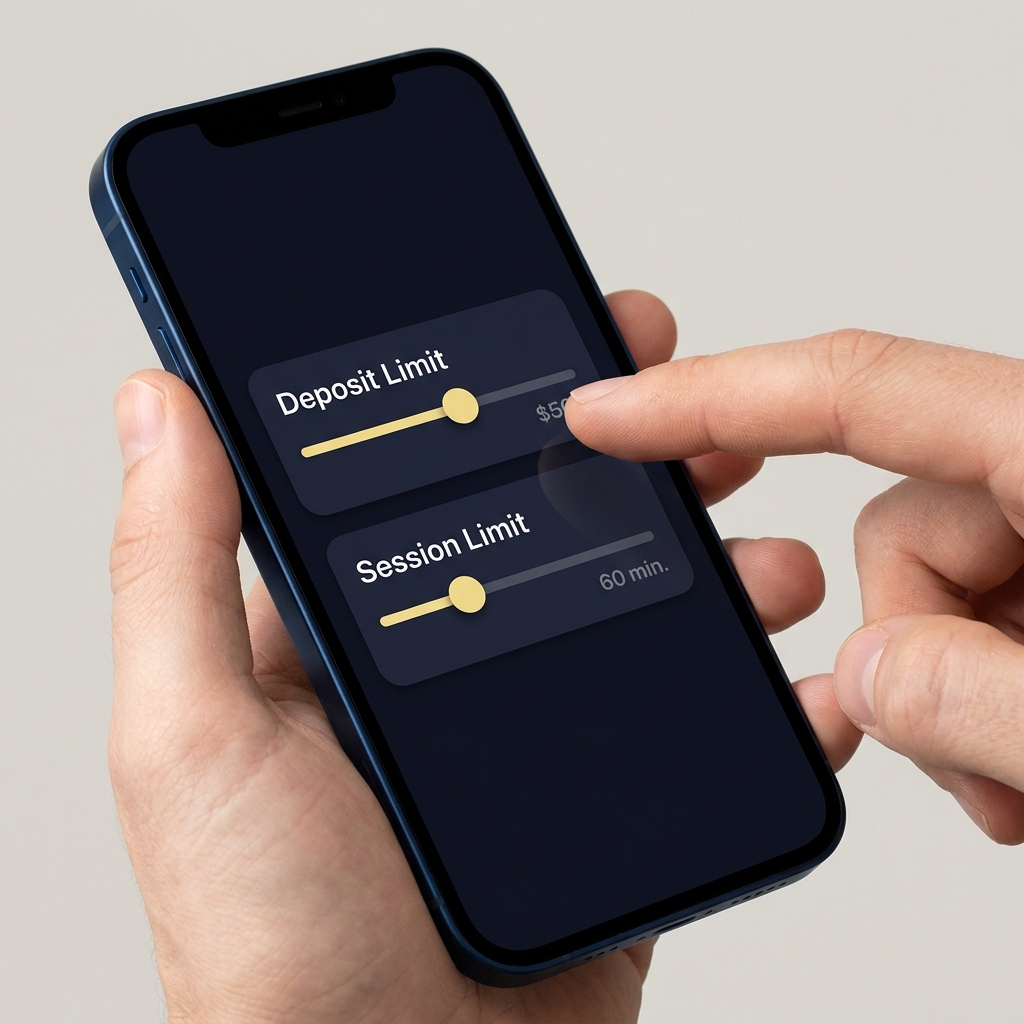
Deposit limits set a cap on how much money you can add to an account over a chosen period such as daily, weekly or monthly. Many platforms let you set those limits directly in account settings so you control how much you can commit to play.
The Alcohol and Gaming Commission of Ontario requires player-configurable limit settings for internet gaming, so in places with similar standards you should find deposit limits as a clear account option Registrar's Standards for Internet Gaming (Ontario).
Loss and session/time limits explained
Loss limits stop you from losing more than a set amount over a period, and session or time limits restrict how long a single session can last or how many sessions are allowed in a day. Together with deposit limits these controls give you a toolkit to manage budget and time.
The UK has recently clarified how deposit limits and financial controls should be defined to reduce inconsistent implementation across operators, so expect evolving terminology and slightly different options depending on where you are Supplementary consultation on financial limits (UK).
Check challenge options and account controls
Review your current deposit and session settings now to confirm they match the budget and time limits you intend.
How to set a cooling-off period or time-out on platforms
Typical options and durations
A cooling-off period or time-out is a short pause you can initiate to stop play for a fixed window, often from 24 hours up to several weeks depending on the operator. It is intended for temporary breaks and is distinct from longer self-exclusion programs.
Because the name and available durations vary, check the account settings page for options labeled time-out, cooling-off, temporary pause or similar language before you confirm.
Stepwise checklist to start a time-out
1. Sign in and go to your account page.
2. Open responsible play, account settings or security sections where limits and pauses are listed.
3. Choose time-out or cooling-off, select a duration, and confirm. Save any confirmation notice or email you receive for your records.
4. If you are unsure how long to pause, start with a shorter period to see how it feels; you can often repeat or extend a time-out if needed.
Always check your operator rules and local regulations because available durations and extension policies can differ by place and operator.
How to enroll in longer self-exclusions and use centralized registers
What centralized registers do
Some jurisdictions operate province- or nation-wide self-exclusion registers that block access across all licensed operators in that jurisdiction, rather than requiring separate steps for each operator. These central programs are designed to create consistent coverage and enforcement across the market My PlayBreak: Province-wide self-exclusion for online gaming in Ontario.

Typical enrollment steps and binding effects
Enrollment usually requires identity verification and an explicit choice of exclusion duration. Once enrolled in a centralized register, access restrictions apply across participating operators and cancellations before expiry are often not permitted, though some programs allow extensions or renewal.
Because central registers apply exclusions market-wide, expect practical consequences such as blocked logins, blocked deposits and restricted promotional communications until the exclusion period ends or you take the required reactivation steps under program rules.
Deciding which option to use: a practical checklist
Quick decision flow
Start by asking whether you need a short break or a long-term block. If you want to stop for a few days to regain perspective, a cooling-off period may be enough. If you need a firm barrier across multiple operators, a central self-exclusion is the appropriate choice.
Consider your recent patterns, emotional triggers and whether access across several operators would increase your risk. If you answer yes to any of those, lean toward a longer exclusion or central register enrolment.
Factors to consider (time horizon, triggers, support)
Think about how long you need the break to be effective. Jurisdictions offer varying durations from short time-outs to multi-year or lifetime exclusions, and availability differs by place so verify local options before you act.
Balance the desired duration with practical support options. If you want to return at a known point, ensure you understand reactivation rules so you are not surprised when the exclusion ends.
Step-by-step: setting limits and exclusions in-app or on the website
Preparing before you start (documents, decisions)
Before changing settings gather basic details: confirm your jurisdiction, ensure your account is verified, know the exact limit amounts you want, and note the support contact for your account in case you need help.

Save a personal backup note of the choices you make and any confirmation emails or reference numbers you receive; that information will be helpful if you need to follow up with support or a regulator later Registrar's Standards for Internet Gaming (Ontario).
Exact steps to set deposit, loss and session limits and to start exclusions
1. Navigate to account settings or responsible play tools and select the limit type you want to change.
2. Enter the numeric limit, choose the period (day, week, month) and confirm. Keep a screenshot or save the confirmation page.
Choose a short time-out if you want a temporary pause to regain perspective; choose a longer self-exclusion or central register enrollment when you need a firm, market-wide barrier. Verify local durations and reactivation rules before you commit.
3. To start a time-out, select time-out or cooling-off, pick a duration and confirm. Note any mandatory cooling-off acknowledgement steps.
4. To enroll in a longer self-exclusion via your operator, follow the operator's self-exclusion workflow and complete identity checks as required. If a central register is available in your jurisdiction, the registry enrollment will usually be a separate process handled by the regulator or authorized body.
5. After confirming, log the confirmation details and verify that the controls are active by checking whether deposits, logins or sessions are blocked as expected.
What happens to your account and data during an exclusion
Access restrictions and blocked transactions
When an exclusion is active, typical effects include blocked logins, blocked deposits, and disabled participation in qualifying events or promotions tied to the account. If you used a central register, those restrictions commonly apply across all licensed operators in the jurisdiction where the register operates My PlayBreak: Province-wide self-exclusion for online gaming in Ontario.
Operators enforce the chosen limits and exclusions according to program rules, and you should expect restricted transactional capability until the exclusion expires or you follow the register's reactivation steps.
How operators and registries handle personal data
Centralized registers and regulators publish aggregate statistics to support oversight, but they do not disclose individual identities in public reporting. That approach balances transparency with privacy protections in program reporting BetStop - National Self-Exclusion Register statistics.
Operators and registries retain personal data only as needed to verify enrolment, enforce exclusions and comply with regulatory obligations; if you have privacy concerns ask the operator or registry for their data handling policy and retention timelines.
Reactivation, extensions and appeals after an exclusion ends
How reactivation typically works
Many jurisdictions do not permit early cancellation of self-exclusions; instead, you may extend or renew an exclusion or follow a required reactivation procedure once the period ends. Models vary, but some places require affirmative steps to restore access after expiry, rather than automatic reactivation Casino Gambling Self-Exclusion Program (New Jersey).
Plan ahead by noting the exclusion end date and the steps required to reactivate access, because the reactivation workflows differ by register and operator.
Extension and renewal options
If you need more time, many programs allow you to extend or renew the exclusion before it ends. Contact support or the registry for the exact process, and save any written confirmation you receive about extensions for your records.
Where reactivation is unclear, reach out to the operator's support team or the registry for guidance and to confirm next steps.
Common mistakes and pitfalls to avoid
Mistakes when choosing durations and limits
Frequent errors include choosing too-short durations that do not address the underlying issue, or assuming a limit applies across multiple operators when it only applies to a single account. Be explicit about the scope and duration when you make a choice.
Avoid relying solely on soft limits if you need a firm barrier; central registers offer broader coverage when available and are better for multi-operator concerns My PlayBreak: Province-wide self-exclusion for online gaming in Ontario.
Administrative errors and how to prevent them
Administrative pitfalls include not saving confirmation emails, not recording reactivation dates, and failing to verify that limits are active. Prevent these by taking screenshots, noting confirmation IDs and verifying account behavior after setting a limit.
If you run into administrative issues, contact operator support and, if applicable, the central register's help desk to confirm your status.
Practical scenarios: short examples and step-throughs
Scenario 1: immediate short break for cooling-off
Situation: You feel frustrated after a losing streak and want a pause to avoid impulsive decisions. Action: Use the account time-out feature for 7 days. Steps: sign in, navigate to responsible play, select time-out, choose 7 days, and confirm. Expectation: Access is paused for the chosen period and you cannot place new entries until the time-out ends.
Scenario 2: multi-operator self-exclusion via a registry
Situation: You want a firm barrier across multiple licensed platforms in your jurisdiction. Action: Enroll in the central self-exclusion register if your jurisdiction provides one. Steps: check registry enrollment page, complete identity verification and select the exclusion duration. Expectation: Once active, participating operators will block transactional activity and logins according to the registry rules BetStop reporting and updates.
Scenario 3: setting deposit and loss limits for budgeting
Situation: You want predictable spending while continuing to participate. Action: Set modest daily deposit and loss limits that fit your budget. Steps: decide on a weekly budget, divide into daily limits, apply deposit and loss settings in account controls, and monitor with session limits to manage time spent. Expectation: Limits will prevent deposits or further activity once thresholds are reached, helping you stick to the budget.
Support channels: who to contact and what to expect
Operator support vs regulator contact points
Start with operator support for account changes because they can often apply limits or begin an operator-level exclusion immediately. For central register enrolment or disputes about registry status, contact the registry or the regulator responsible for the register.
Have your account ID, confirmation emails and identity verification documents ready when you contact either party to speed up processing, and ask for a reference number for any request.
When to escalate to a central register or regulator
If an operator is unable to apply market-wide restrictions or if you suspect a registry error, escalate to the central register or regulator. Keep notes of your interactions so you can present a clear timeline if escalation is needed.
Tracking and transparency: registry reporting and statistics
What public reports show
Registries and regulators publish aggregate statistics that show uptake and compliance trends without identifying individuals. These reports inform oversight and program adjustments rather than acting as individual case trackers BetStop statistics and updates.
Reading public reports can help you understand how common different options are and how regulators are adjusting program features over time.
How statistics support oversight
Aggregate data helps regulators spot trends, measure program use and design improvements. While the reports do not reveal identities, they do provide useful signals for policy makers and operators about the need for changes to availability or communication of controls.
Final checklist: next steps and responsible participation
Quick 10-point checklist to act now
1. Confirm your jurisdiction and local register availability.
2. Decide desired durations and numeric limits for deposit and loss caps.
3. Verify account verification status and support contact details.
4. Use the account settings to set deposit, loss and session limits and save confirmations.
5. If you need market-wide coverage, check whether a central register like My PlayBreak or BetStop is available and follow its enrolment process.
Where to learn more and stay informed
Check regulator websites and the operator's responsible play pages for program details, updates and contact information. If you need help deciding, support teams and regulator guidance pages can explain local differences and next steps.
A cooling-off period is a short, temporary pause initiated by the user while self-exclusion is a longer, often binding measure that can block access across multiple operators in a jurisdiction.
In many jurisdictions self-exclusion cannot be cancelled early; users may be able to extend or renew the exclusion and must follow the registry or operator reactivation steps after expiry.
No. Registries publish aggregate statistics for oversight but do not disclose individual identities in public reports.
References
- https://www.gamblingcommission.gov.uk/technical-standards/remote-technical-standards
- https://www.agco.ca/igaming/registrars-standards-internet-gaming
- https://www.gamblingcommission.gov.uk/consultations/supplementary-consultation-on-financial-limits-2025
- https://igamingontario.ca/en/player/my-playbreak
- https://www.fundedplays.com/challenges
- https://www.fundedplays.com
- https://www.fundedplays.com/blogs
- https://www.fundedplays.com/blogs/how-fundedplays-evaluations-work
- https://responsiblegambling.org/for-the-public/problem-gambling-help/self-exclusion/
- https://www.playsmart.ca/finding-help/my-playbreak/new-registrants/
- https://www.acma.gov.au/betstop-national-self-exclusion-register-statistics-q1-2024-25
- https://www.nj.gov/oag/ge/selfexclusion.html