
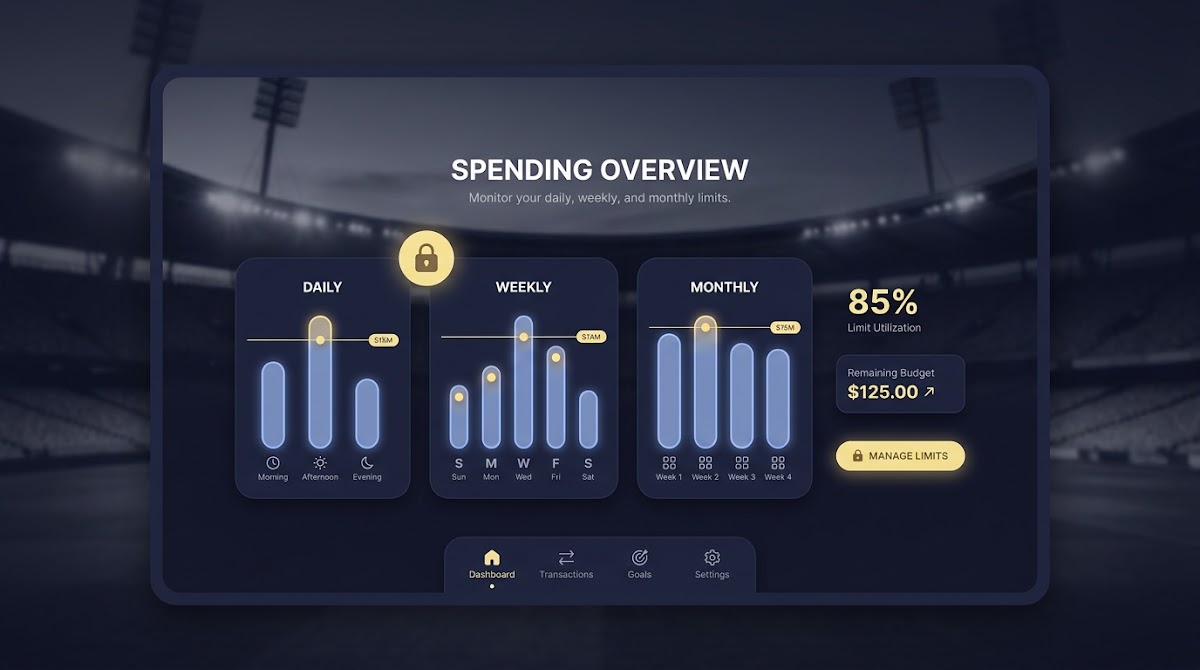
Introduction: why spending limits matter for challenge purchases
What this guide covers, How to Set Spending Limits for Challenge Purchases
Spending limits help people control how much they buy in challenge-based sports prediction platforms and support responsible play. This article explains how to set daily, weekly, and monthly caps, why those timeframes matter, and how regulators and industry standards shape practical controls.
Limits do not guarantee outcomes or earnings. They are tools to reduce impulsive purchases, increase transparency, and let users test strategies within a managed budget. Product teams can use the same principles to protect users and meet regulator expectations.
For product and compliance teams, and for users who want to manage their activity, the guide covers definitions, timing rules, dashboard design, payment-method controls, confirmations, audit logs, testing recommendations, and rollout steps that align with current benchmarks. See the Funded Plays blog for related posts.
Check and tighten your spending caps
Review your current caps and plan one immediate decrease you can enforce today, then follow the dashboard guidance below to adjust settings and communications.
Definition and regulatory context
What counts as a spending limit for challenge purchases
For challenge purchases, a spending limit is a user-set cap on the amount they can spend on entry fees or purchases over a defined timeframe, typically daily, weekly, or monthly. These caps apply to the purchase flow, stored balances, and any pending transactions so users see a consistent remaining budget across the platform.
Customer-controlled limits mean the platform gives users tools to set, view, and change caps without contacting support, while the platform enforces those settings at purchase time.
Key regulatory benchmarks to know
Regulators and industry guidance in recent years have converged on a few clear expectations, including offering daily, weekly, and monthly options and centralized player tools for managing limits, as described by iGaming Ontario guidance on player tools and dashboards iGaming Ontario player tools. See also the AGCO guidance on limit setting Limit Setting Features.

The UK technical standards also set expectations for user controls and clear messaging during the purchase process, which platforms should translate into on-screen confirmations and visible remaining budgets UK technical standards.
Regulatory benchmarks and timing rules
Immediate decreases versus delayed increases
One consistent regulatory rule is that decreases to a user’s spending limit should take effect immediately, while increases should be delayed to prevent impulsive changes. This preserves user intent and helps prevent rapid, repeated increases after a loss.
Operationally, immediate decreases must be enforced across active balances and pending purchases so the system never allows spending above the new, lower cap. Conversely, increases should be subject to a deliberate delay before they apply, commonly at least 24 hours in practice.
Design a single dashboard offering daily, weekly, and monthly caps; enforce decreases immediately and delay increases; show remaining budgets at purchase time; restrict risky payment methods; and keep auditable logs and monitoring.
Implementing these timing rules helps platforms align with regulator logic by making increases deliberate and decreases protective.
Regulators also expect platforms to offer clear daily, weekly, and monthly options so users can choose the timeframe that matches their budgeting habits and risk profile UK technical standards.
Core framework: structuring limits across timeframes
Recommended default options
The core framework should offer daily, weekly, and monthly caps as standard selectable options. Present a set of sensible preset tiers for each timeframe, and make a custom cap field available for users who want a specific amount.
For defaults, choose tiers that progressively scale, for example low, medium, and high presets, while enforcing sensible minimums and maximums set by platform policy or local regulation. Record the user choice so it is clearly visible in the single settings dashboard.
How to let users customize caps
Allow users to pick a preset tier or enter a custom cap. If users enter a custom cap, validate it against platform limits and local rules before saving. Show immediate feedback about how the selected cap maps to daily, weekly, and monthly totals so users understand the real effect of their choice.
The platform should save choices in one place that users can access anytime, so settings are easy to view, test, and edit from the dashboard iGaming Ontario player tools.
Rules for changes: immediate decreases and delayed increases
How to implement effective change rules
When a user decreases a cap, enforce the new value immediately on all enforcement layers: front end, server validation, and payment gateway checks. Also cancel or block any pending purchase that would breach the new cap and inform the user why the action was blocked.
For increases, enforce a delay before the new cap becomes active. A common approach is to record the request, show the effective date and time, and prevent any purchase that relies on the higher cap until that timestamp is reached.
Examples of safe defaults
A recommended safe default is a 24 hour delay for increases, though jurisdictions may require different timing; always reflect the effective date in the UI and provide an option to cancel the pending increase during the delay.
Prevent circumvention by disallowing rapid small increases that add up to a large raise within the same delay window, and record each change in the audit log so compliance teams can review patterns iGaming Ontario player tools.
Payment-method restrictions and accepted methods
Why restrict payment methods
Payment-method controls reduce consumer harm by removing higher-risk options at checkout and aligning with regulatory expectations, for example restrictions on certain card types in some jurisdictions. Platforms can use method controls to help users manage exposure and avoid unintended purchases.
As a well-established example across regulatory guidance, limiting or banning gambling on credit cards is an accepted consumer-protection measure that platforms can mirror in their payment controls UK credit card ban.
Examples of method controls platforms can offer
Practical options include letting users disable credit cards for purchases, allow debit-only purchases, restrict purchases to stored balance only, or opt out of specific gateways. Display active methods near spending caps so users see which payment options will be used when they reach a limit.

When a payment method is disabled, the checkout should show a clear explanation and alternative options, and the dashboard should show which methods are currently enabled.
Player dashboard and UX best practices
Centralized limit management
A unified dashboard is the easiest way for users to set, view, test, and edit caps; see our post on how Funded Plays evaluations work.
Make decreases a one-click option in the dashboard and make increases explicit with a confirmation flow that shows the delay and effective time before the increase takes effect, to reduce accidental changes iGaming Ontario player tools.
quick verification of dashboard settings
Run this checklist after any rollout
Signals and visibility during purchase flow
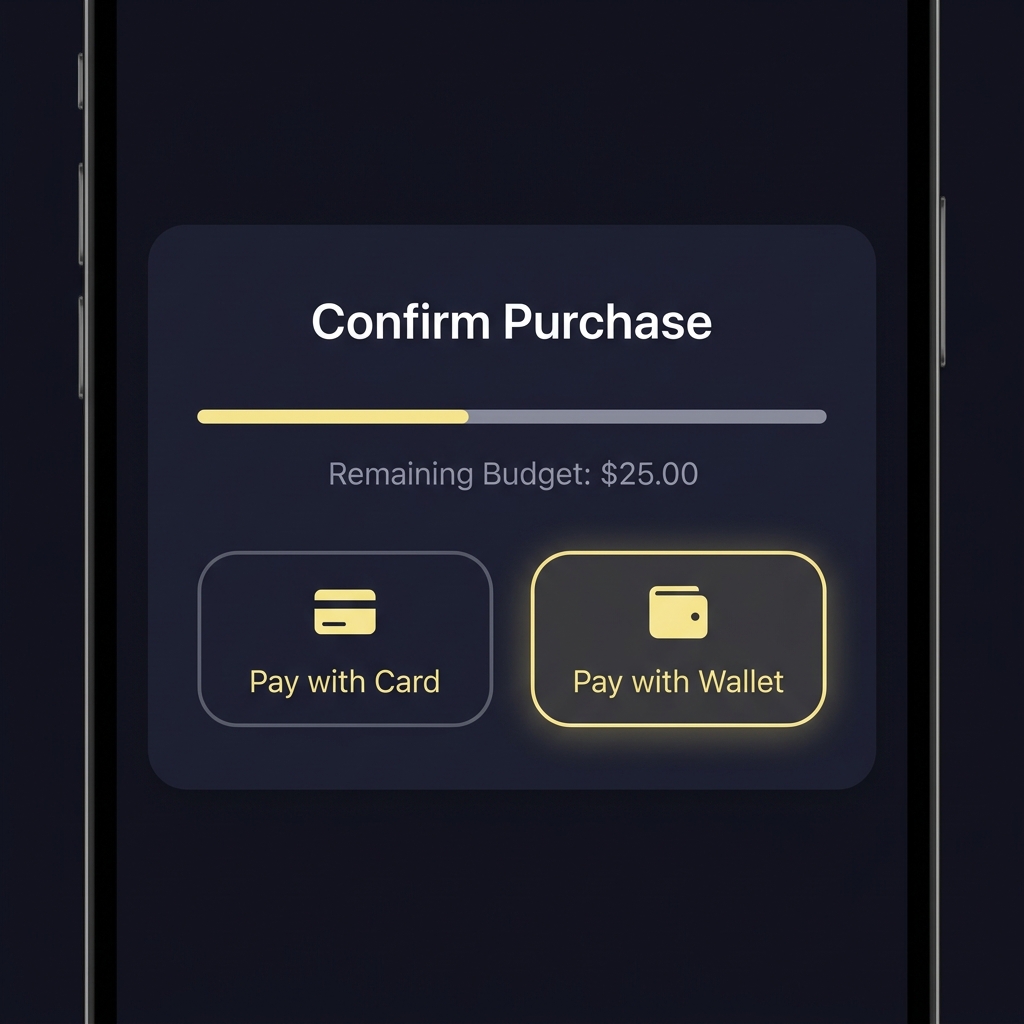
Show the remaining budget directly on purchase pages and in-session banners so users know how a purchase will affect their daily, weekly, and monthly totals before they confirm.
Where an attempted purchase would breach a cap, block the action and show a concise reason and next steps, including a link to change the relevant cap or switch payment methods.
Confirmations, receipts, and in-session messaging
What to show at purchase time
At purchase time, a confirmation modal should state the purchase amount, the remaining budget for each timeframe after the purchase, and whether the action will be allowed or blocked due to limits. This reduces surprise and gives users a chance to cancel.

If a purchase is blocked, the modal should explain which cap was exceeded and offer alternatives, such as changing a payment method or canceling pending increases.
Post-change confirmations
After a limit change, send an email receipt or in-app notification that records the previous and new values, who made the change, and the effective date and time for increases. That creates an audit trail users can rely on and supports compliance reviews.
In-session banners that show how much of the daily, weekly, and monthly budget remains help users stay aware during active sessions and reduce the likelihood of multiple rapid purchases that approach a limit PlayMyWay budgeting tool.
Audit logs, change history, and transparency
What to record
Log every limit change with timestamp, previous value, new value, identity of the actor (self or support), and an optional reason field. Also record purchase attempts that were blocked by limits and the payment method used for the attempt. See research on monetary limit tools Monetary Limits Tools for Internet Gamblers.
Keep a machine-readable record for compliance and a user-facing change history for customer transparency, with export and print options when practical so users can keep their own records Internet Responsible Gambling Standards.
How to present the log to users
Show a concise, readable timeline entry for each change in the dashboard that highlights who made the change, when it became effective, and whether an increase is pending. Offer filtering by timeframe and export by date range for convenience.
Prominent change logs increase trust and make it easier to demonstrate compliance during audits or user queries iGaming Ontario player tools.
Implementation checklist and technical considerations
Enforcement points
Enforce limits at multiple layers: front end to provide immediate feedback, server-side validation to prevent bypass, payment gateway checks to stop disallowed transactions, and reconciliation to ensure logs match settled transactions.
Make server-side rules authoritative so client-side changes cannot circumvent caps, and treat the payment gateway as a final enforcement point that can reject transactions that exceed a verified cap UK technical standards.
Testing and monitoring
Build automated tests for edge cases such as simultaneous purchase attempts, pending increases, and rapid change sequences. Include user testing sessions to confirm the dashboard is understandable and limits are enforced as displayed.
Set up monitoring and alerts for suspicious patterns like repeated increase requests or multiple blocked purchases in short periods so compliance and product teams can investigate potential circumvention or harm. Relevant guidance and tools are discussed in published resources Monetary limits resources.
Decision criteria: choosing default caps and customization rules
Balancing safety and usability
Choose default caps based on user experience level, local regulatory requirements, and typical purchase sizes. Conservative defaults favor safety and can be relaxed by users after a delay if they request higher limits.
Document why a particular default exists and review defaults periodically based on user behavior, complaints, and regulatory updates so you can adjust tiers responsibly iGaming Ontario player tools.
When to require additional verification
Require extra verification for significant increases, enabling high-risk payment methods, or when user behavior suggests potential harm. Verification can be simple identity confirmation or a short cooling-off confirmation that the user understands the change.
Record verification outcomes in the audit log and make the verification requirement visible in the UI before users request an increase.
Common mistakes and compliance pitfalls to avoid
Usability mistakes
Burying limit controls in obscure settings, failing to show remaining budgets, or making it hard to decrease caps are common mistakes that reduce the protective effect of limits and frustrate users.
Make decreases visible and simple to apply, and avoid default settings that are too permissive for new users.
Technical and policy pitfalls
Avoid allowing instantaneous increases without a delay, which regulators disfavor, and do not rely on client-side checks alone since they can be bypassed. Also avoid inconsistent messaging where on-screen totals differ from back-end enforcement values.
Failing to restrict risky payment methods, or not recording changes with timestamps and initiator identity, weakens compliance posture and user trust UK credit card ban.
Practical examples and scenarios
Example 1: beginner user sets monthly cap
A beginner chooses a preset monthly cap from the dashboard, for example a low tier, to limit their total challenge purchases for the month. The dashboard shows the selected cap, the remaining monthly budget, and active payment methods so the user knows what is allowed at checkout.
Later that day the user reduces the monthly cap further. The decrease is enforced immediately, and any pending purchase that would exceed the new cap is blocked with a message that explains the reason and next steps, aligning with centralized dashboard expectations iGaming Ontario player tools.
Example 2: advanced user customizes daily cap
An experienced user sets a custom daily cap higher than the preset tiers and requests an increase above their previous limit. The platform records the request, shows the effective date 24 hours later, and prevents purchases that rely on the higher cap until it becomes active.
If the user tries to split a large intended spend into multiple purchases to bypass the delay, server-side checks and monitoring detect the pattern and flag it for review. Payment-method restrictions can also block certain card types to align with safer practices UK technical standards.
Conclusion and next steps for platforms
Recap of recommended defaults
Offer daily, weekly, and monthly caps with sensible preset tiers and a custom field, enforce immediate decreases, delay increases (commonly 24 hours), provide payment-method controls, and keep clear dashboards and audit logs. These elements together create a responsible, regulator-aligned control set.
Suggested roadmap for rollout
Start with design and compliance review, implement server-side enforcement and payment gateway checks, run automated and user testing, release in phases, and monitor for unexpected behavior. See the Funded Plays homepage for examples.
Limits are protective measures that help users participate responsibly; they do not guarantee outcomes or earnings. Test conservatively, document decisions, and update settings as regulations and user needs evolve.
Decreases should take effect immediately across the platform, blocking purchases that would exceed the new lower cap and updating the remaining budget in real time.
A commonly recommended delay is 24 hours before an increase becomes active, giving users time to reconsider and preventing impulsive changes.
Yes, platforms can offer controls to disable credit cards, allow debit-only purchases, or restrict purchases to stored balances to reduce consumer risk.
References
- https://www.fundedplays.com/blogs
- https://www.fundedplays.com/blogs/how-fundedplays-evaluations-work
- https://www.fundedplays.com/
- https://igamingontario.ca/en/players/player-tools
- https://www.agco.ca/en/responsibilities-and-resources/limit-setting-features
- https://www.gamblingcommission.gov.uk/standards/remote-gambling-and-software-technical-standards
- https://www.gamblingcommission.gov.uk/news-action-and-statistics/our-work/credit-card-ban
- https://massgaming.com/responsible-gaming/playmyway/
- https://www.ncpgambling.org/programs-resources/internet-responsible-gambling-standards/
- https://www.fundedplays.com/challenges
- https://www.greo.ca/Modules/EvidenceCentre/files/Lucar%20et%20al%282012%29Review_of_monetary_limit_tools_for_Internet_gamblers.pdf
- https://responsiblegambling.org/wp-content/uploads/monetary-limits-tools-for-internet-gamblers.pdf