
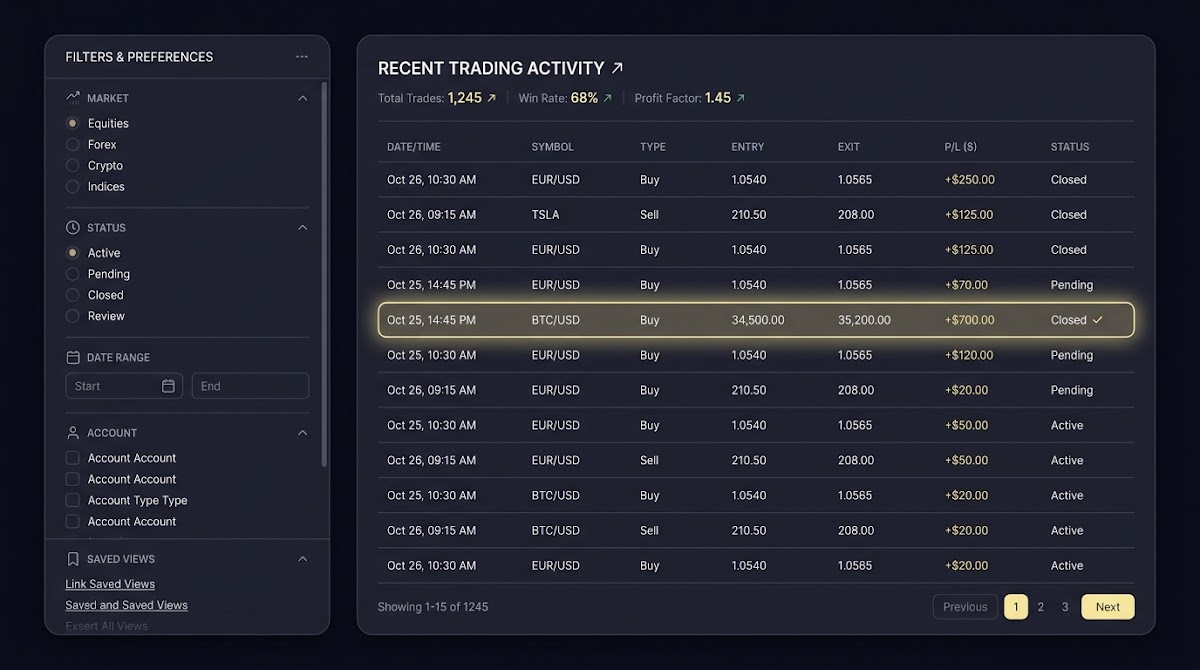
How to Review Your Bet History on FundedPlays - quick overview
How to Review Your Bet History on FundedPlays begins with knowing where platform records live and why reviewing them matters for disciplined prediction. FundedPlays is a funded sports prediction challenge platform that uses virtual funded accounts and evaluation challenges to measure consistency, not a sportsbook. Reviewing your history is part record keeping and part performance review, and it helps you learn from outcomes without assuming past results guarantee future success.
Your account contains several places where history data appears. The most common places to check are the account dashboard for an aggregated activity feed, individual challenge pages that show picks tied to a specific evaluation, and any transaction or activity logs that list bet entries and adjustments. Treat these places as complementary: challenge overview pages show context for evaluation rules while the global activity log gives a holistic view across all challenges and sessions.

When you review history, remember that FundedPlays uses simulated bankrolls and clearly defined challenge rules. That means results reflect how you performed under those rules and with virtual funds. Use history to check for recording errors, to analyze patterns, and to feed a disciplined practice routine that improves your long term prediction skill.
Locate your bet history in your FundedPlays account
Start by signing in with your account credentials and opening the main dashboard. Most users will find links to recent activity on the dashboard landing page, and challenge-specific options usually appear on challenge overview pages. If you cannot see activity immediately, look for labels such as activity, history, or recent picks inside the account navigation.
Challenge history and account-level history are different. A challenge page lists picks placed while that evaluation was active, including any status or result notes that relate to the challenge rules. By contrast, the account-level history or activity log aggregates entries across multiple challenges and sessions so you can track overall performance. To build a complete picture, check both the challenge page for context and the activity log for a consolidated record.
Step-by-step: view an individual pick or bet entry
Opening a single entry
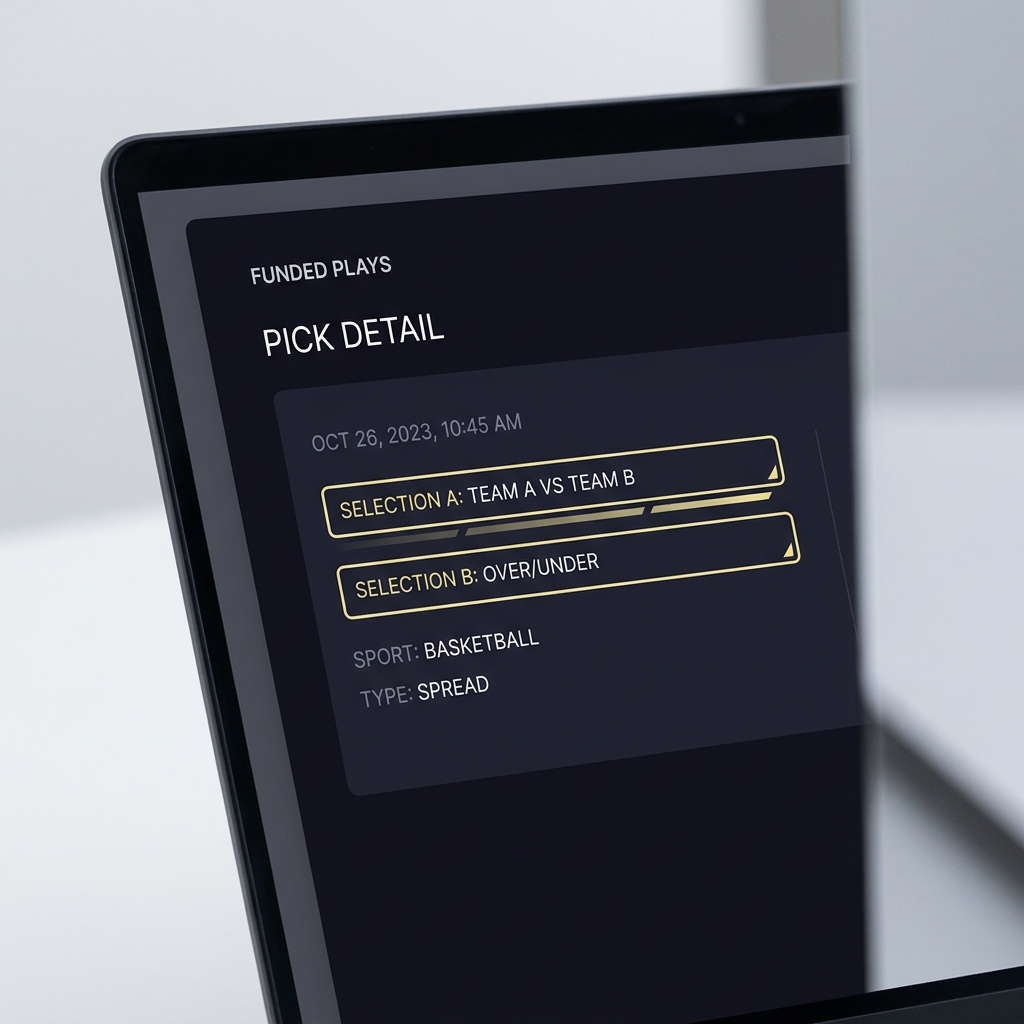
To inspect a single pick, open the activity list on your dashboard or the picks list on a challenge page and click the entry you want to view. The interface usually expands the row or opens a detail pane where you can see the selection, the stake in virtual units, the timestamp, and current status. If the platform supports it, use the detail view to see linked event information and any notes added at the time of the pick.

Reading the details: stake, selection, timestamp, and outcome
When a pick detail opens, verify these fields: event and market, the exact selection you made, the units or virtual stake for that entry, the timestamp showing when the pick was placed, and the final status or outcome. These elements let you confirm what was recorded and help you reconcile outcomes with your external notes or spreadsheet.
If an entry looks incorrect or incomplete, take screenshots of the detail view including visible timestamps and any status indicators. Capture the challenge name and any surrounding entries so support can see context. Keep in mind platform rules for disputes and support requests when preparing your documentation.
See FundedPlays Challenges and rules
Open one recent pick now and confirm the event, the stake, and the timestamp so you have a clear reference before you continue with analysis.
Use filters and search to narrow your bet history
Filters are the quickest way to narrow a long history into a useful subset. Common filters to apply are date range, challenge name, sport, market type, and result or status. Narrowing by date and challenge simultaneously helps you focus on a single evaluation period while filtering by sport or market type isolates the selections that matter for a specific strategy test.
Combining filters can reveal patterns that are hard to spot in raw lists. For example, filter to a three month window and a single sport to test whether a market weakness is persistent, or filter to losing outcomes to inspect the stakes and markets that produced the losses. If FundedPlays offers a search field, use exact event names, player names, or game identifiers to jump directly to the entries you need.
Exporting and saving your bet history
Some users prefer to export their activity into a spreadsheet for deeper analysis. Check your account UI to see whether a download or export option exists and what formats are offered, such as CSV or PDF. If an export feature is present, it can speed up calculations and let you keep an external archive that is independent of the platform interface. See a practical guide on exporting betting history for tips on formats and methods at OddsJam.
If there is no export option, create reliable manual records by taking full screenshots of detailed views and by copying rows into a simple spreadsheet. When exporting or saving records, include the challenge name and timestamps so your external file matches the platform context you will reference later.
Locate entries on your account dashboard and challenge pages, use filters and exports to compute core metrics, keep evidence for disputes, and apply disciplined testing to refine strategy while following platform rules.
Saving snapshots is useful for audits, for sharing concise evidence with support, or for building a personal performance archive. Keep exports encrypted and backed up according to your personal security practices, and avoid sharing sensitive account screenshots in public places.
Understanding performance metrics in your history
Raw entries become meaningful when you calculate a few core metrics. Track number of picks, win rate or hit rate, average stake in units, net result over a time window, and streaks of wins or losses. These metrics let you judge consistency and help highlight where to investigate further, such as a market with a low hit rate or a series of outsized stakes that created large drawdowns. For methods to compute and interpret these values, you can consult external guidance on calculating profit and loss metrics at Action Network.
Because FundedPlays uses virtual bankrolls and challenge-specific rules, you should interpret metrics in that context. A drawdown limit or unit sizing rule inside a challenge changes how you view volatility. For example, a short losing streak that triggers a challenge drawdown rule is more significant for evaluation progress than the same streak outside a challenge context.
To compute metrics from exported data, add spreadsheet columns for unit size, raw profit or loss per pick, cumulative bankroll simulation, and running drawdown. Simple formulas such as cumulative sum and maximum drawdown let you convert a long list of entries into a compact performance snapshot you can review each week.
Troubleshooting missing or incorrect bet records
Before contacting support, run a checklist to confirm that an entry is truly missing. Verify your filters and date range, check the correct challenge context, and reload the activity log in case of a temporary display issue. Also confirm that your account session is the one that placed the pick if you use multiple accounts or devices. See platform support articles for transaction history procedures at helpcenter guidance.
Document what you find. Time stamped screenshots, the challenge name, and any visible IDs or event titles are the primary evidence support will ask for. Keep a short list of the steps you took to validate the missing entry so you can share a clear timeline with support staff if needed.
Collect timestamps and evidence before contacting support
Name files by date for quick reference
When you prepare a report, include a concise description of the problem, the evidence you collected, and the account and challenge context. Follow FundedPlays support instructions for submitting tickets or messages so your request is routed and handled efficiently.
Best practices for keeping an accurate betting log
Maintain a simple external log with these columns: date, challenge, selection, units or stake, rationale, and result. Keep rationale short so it is searchable later and avoid mixing strategy notes into raw numeric fields. Use a consistent unit measure across all entries so you can compare samples without converting stakes.
Adopt a reviewing cadence. A short daily review checks that entries posted correctly while a weekly review aggregates results and identifies patterns. Monthly reviews let you compute basic metrics and test whether a strategy tweak improved the hit rate or reduced drawdown over time.
Privacy, data retention, and account security
Expect that official details on how long history is kept and what is retained will be in platform policy pages, so consult FundedPlays policy documents for definitive answers. Do not assume a specific retention period without checking the official policies provided by the platform.
When you export or save records, secure them using strong passwords and encrypted storage. Avoid storing sensitive screenshots or exported files on public or shared drives without appropriate protections, and keep a local backup if you depend on the records for disputes or long term analysis.
Using your bet history to refine prediction strategy
Segment your history by sport, market, or timeframe to reveal where your edge is strongest. For example, filter to a single market across multiple challenges to see whether you consistently outperform baseline expectations. This kind of market segmentation turns raw entries into actionable insights you can test in a controlled way.
Use small, testable changes when you refine strategy. Try a modest unit sizing change in one challenge window or adjust selection criteria for a single sport over a defined period. Record the change in your external log and run the experiment long enough to see whether the modification alters hit rate or drawdown in a meaningful way while complying with evaluation rules.
Always apply the platform evaluation rules when you run tests so that your efforts are valid for challenge progression. Keep experimental notes separate from raw data and tag any rows in your export that were part of a deliberate test so you can later isolate their impact on performance.
Common mistakes when reviewing bet history
A frequent trap is treating short sample results as definitive proof of skill. Small samples are noisy and can mislead, so avoid overfitting your strategy to a short winning or losing streak. Instead, normalize outcomes by unit size and review longer windows before drawing strong conclusions.
Another mistake is ignoring stake size when comparing entries. Two picks with different unit sizes are not directly comparable unless you standardize stakes. A simple correction is to convert every pick to a unit profit or loss figure so that entries can be aggregated fairly when computing metrics like average ROI per selection.
Practical examples: three scenarios of reviewing history
Scenario A, spotting a market weakness. Filter your export to a single market and compute hit rate and average return per unit. If the hit rate is below your threshold and unit returns are negative, flag that market for reduced exposure in the next challenge window. Record your decision and test it across the following month.
Scenario B, verifying a disputed result. Gather the pick detail view, event timestamp, challenge name, and a screenshot of the entry. Use your exported rows or screenshots to build a concise dispute packet and submit it following the platform support process, including the exact times and any linked event identifiers you captured.
Scenario C, preparing a performance summary. From an export, compute total picks, win rate, net units gained or lost, peak drawdown, and the single biggest winning and losing streaks. Summarize these in a one page note and keep the underlying spreadsheet as a backup for deeper questions that emerge after a review.
Next steps and a compact action checklist
Immediate actions after reviewing history. Export or screenshot critical entries, compute basic metrics like hit rate and net units, and note the top three insights you learned. If you find missing or incorrect records, compile evidence and submit a support request with your documented timeline.
Weekly routine checklist. Update your external log, test one small strategy tweak in a defined window, and archive backups of exported files. Keep your notes short so you can read them quickly at the start of each review session and adjust plans based on measurable progress.
Summary: making bet history a tool, not a verdict
Key takeaways. Regular, structured review of history helps you learn from outcomes and make small, evidence driven changes to your approach. Treat history as a feedback mechanism rather than a final judgment, and always interpret results within the context of FundedPlays challenge rules and virtual bankrolls.
Where to learn more. Use the platform documentation and the FundedPlays Challenges page for details about specific evaluation rules and challenge formats. Combine that information with disciplined record keeping and regular reviews to turn raw entries into reliable, repeatable improvement steps.
You should check your account interface for an export or download option. If no export is available, save screenshots and copy rows into a spreadsheet to keep an external record.
Collect timestamps, screenshots of the entry, the challenge name, and any visible event IDs or notes, then submit that evidence through FundedPlays support channels.
A quick daily check to confirm entries and a deeper weekly review to compute metrics and spot patterns is a practical cadence for most users.
References
- https://www.fundedplays.com/challenges
- https://www.fundedplays.com
- https://www.fundedplays.com/blogs
- https://www.fundedplays.com/blogs/how-fundedplays-evaluations-work
- https://oddsjam.com/betting-education/how-to-find-betting-history-sportsbooks
- https://www.actionnetwork.com/education/the-hidden-ways-to-find-your-all-time-profits-losses-at-a-sportsbook
- https://helpcenter.md.betparx.com/565546-How-do-I-see-my-Transaction-History-and-Sports-Betting-History