

What a fake betting app is and why it matters
A fake betting app is an imitation or malicious mobile application that poses as a legitimate sports wagering or prediction platform to steal money, harvest personal data, or trick users into unsafe payment methods. This guide uses the term fake betting app to describe any unauthorized app that impersonates a licensed operator or circumvents marketplace safeguards, rather than a regulated service.
Fake apps can cause direct financial loss, identity theft, and long-term fraud. They sometimes request irreversible payment methods or try to capture credentials that let attackers drain accounts. Security researchers have documented examples where impersonating apps were distributed outside official stores to avoid review checks, which is how many of these scams reach users in the first place ESET threat report
Review challenge rules and verification steps on the FundedPlays Challenges page
Before you install or deposit, run the short preinstall checklist in the next section to reduce risk.
Why this matters: licensed platforms are subject to regulation, consumer protections, and age controls. A fake betting app has none of those safeguards and should be treated as a potential fraud vector until proven otherwise.
How app stores vet gambling apps in 2026 and why that helps spot fakes
Both major app stores require stricter checks for real-money gambling and related services. Apple requires apps that offer gambling or wagering to hold appropriate licences, limit access to permitted locations, and follow age and content restrictions, which means an app in the official App Store will usually display publisher and compliance details you can verify App Store Review Guidelines
Google Play also enforces a real-money gambling policy that requires developer pre-approval and proof of jurisdictional licensing before an app can be listed for permitted countries. Where the store listing complies, it creates verifiable signals such as developer name, supported territories, and compliance statements you can cross-check Google Play policy
How that helps you: a legitimate store listing often includes the publisher's verified name, clear geography limits, and sometimes a link to the operator's licence or corporate website. Those details give you concrete items to compare against a regulator register, which makes it harder for a fake app to appear authentic.

A quick preinstall checklist to spot a fake betting app
A quick preinstall checklist to spot a fake betting app
1) Install only from the official Apple App Store or Google Play. If the app is offered as a download link or APK, stop and treat it as suspicious.
2) Check the publisher or developer name on the store listing and compare it with the licensed operator name in the regulator register for your country. The developer name should match the legal operator or trading name listed by a regulator.
Yes, fake sports betting apps exist and can impersonate legitimate services; verify developer names in official app stores and cross-check licences in regulator registers before installing or depositing.
3) Look for clear licensing or compliance statements on the listing. If the listing does not mention a licence or uses vague language, pause and verify elsewhere.
4) Read the app permissions. If an app asks for device permissions that are unrelated to functionality, like access to your contacts or call logs, that is a red flag and should stop you from installing.
5) Avoid payment methods that are hard to reverse. If the listing or support instructions pressure you toward gift cards, direct cryptocurrency transfers, or unusual wiring requests, do not proceed and report the listing.
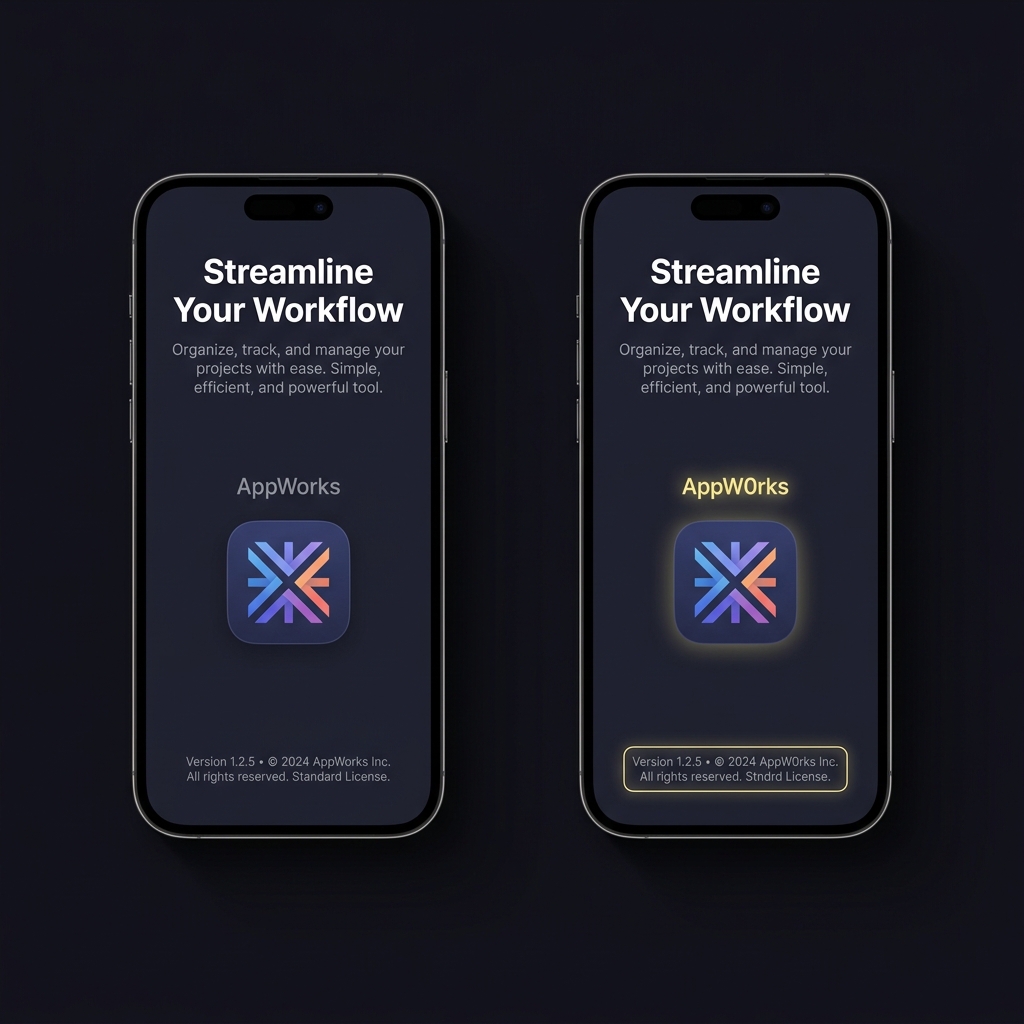
Quick timing tip: you can complete these five checks in under five minutes before installing. Two simple comparisons - developer name and a regulator search - will catch many fakes.
What to check after installation and before you deposit
First, review app permissions immediately. On both iOS and Android you can view permissions from the system settings or the app's page; excessive permissions are unnecessary for a betting app and may indicate data harvesting or malware. If permissions seem out of scope, uninstall and report the app.
Next, open the app's about or legal section and find the publisher, company name, and any licence or regulator references. Many legitimate apps include a licence number or a link to a regulator register; use those details to confirm the operator before adding funds App Store Review Guidelines
Do not deposit until the app's publisher name matches the name on an official regulator register and the licence covers your jurisdiction. If the listing or the app itself lacks clear licence information, treat that as a stopping point rather than a minor omission.
Finally, test small actions first. If you must verify identity or funding, use reversible payment methods where possible and keep records of any transaction confirmations or support contact details for future reporting if needed.
Common real world red flags and scam behaviors
Scammers use a predictable set of tactics to push fake betting apps. Two common approaches are requesting payment via gift cards or cryptocurrency and pressuring users to sideload APKs from links rather than the official store. Requests for gift cards as payment are a known scam pattern and a clear signal to stop FTC guidance on gift card scams
Another frequent tactic is brand impersonation: cloned icons, copied screenshots, and slightly altered names that mimic a reputable service. Threat reports document instances where malicious actors distributed lookalike apps outside the store to avoid automated checks and human review ESET threat report

Installation from third-party marketplaces or direct links increases risk because those channels do not enforce the same licensing checks and developer verification as official stores. If you encounter pressure to bypass the store or to use unusual payment channels, treat that as a likely scam and stop engagement immediately.
If you find a suspicious or fake betting app: step by step reporting
Gather evidence first. Take screenshots of the store listing, developer name, any in-app legal notices, and payment requests. If you transferred money, save transaction records and receipts. These items make it easier for stores and regulators to evaluate your report.
Report the app to the app store. Apple and Google provide reporting tools for problematic listings; use the report function on the store page and attach screenshots and notes. If the app is not on the store because it was distributed via a link, report the URL to the store as well, and include the downloaded file name and any source information you have App Store Review Guidelines
Notify your gambling regulator. Many regulators accept consumer reports and will investigate operators that appear to be impersonating licensed businesses. Use the regulator's public report channels and include the developer name, screenshots, and transaction evidence where available.
Finally, if you used a payment method that can be reversed, contact the payment provider and explain the circumstances. Preserve copies of all communications and follow any instructions from the app store or regulator for follow-up.
How to use regulator registers to confirm an operator
Regulator registers are the authoritative source for whether a business is licensed to offer gambling services in a jurisdiction. Start by searching the UK Gambling Commission register or the ACMA interactive wagering register if you are in the UK or Australia respectively, and use the operator name or licence number as search terms
What to look for: confirm the operator legal entity, the licence type, and the jurisdictions where the licence permits operation. A match should show the same legal name used by the app developer and should list the activity that covers online sports wagering or prediction services.
What counts as a mismatch: slightly different spelling, a different legal entity, or the absence of any licence that permits interactive or online wagering. If the app's publisher name and the register entry do not align, assume they are not the same operator until proven otherwise.
guide users on regulator search fields
use exact legal names when possible
When you find a register entry, note the licence number and the regulator contact information. If you are unsure whether a match is correct, include screenshots of the register entry in your report to the app store and the regulator so they can confirm whether the app is legitimately associated with that licence.
Common mistakes people make when checking apps and how to avoid them
Trusting social media ads is a frequent error. Ads can link to cloned listings or to pages that push a sideload link. Instead of following an ad link, search the official store for the exact app name and check the developer details directly.
Relying on star ratings or screenshots alone is dangerous. Ratings and screenshots are easy to fake or manipulate, and they do not substitute for a licence check. Use the developer name and regulator registers to triangulate whether an app is genuine.
Ignoring small inconsistencies is another common mistake. Tiny spelling differences or an unfamiliar corporate suffix can indicate a different legal entity. When in doubt, pause and confirm with a regulator register rather than assuming the listing is legitimate.
Practical scenarios: spotting a fake betting app in the wild
Scenario 1: cloned app listing. You search the store for a well-known brand and see an app with similar name and screenshots but a slightly different developer name. Action: do not install. Compare the developer name to the regulator register, take screenshots of the listing, and use the store's report function. Threat reports show cloned listings are a common distribution method for malicious apps ESET threat report
Scenario 2: app installed from a link. A social post offers an app download link and promises bonuses for early users. You download the APK and the app asks for broad permissions and requests payment via a gift card. Action: stop, do not transfer funds, uninstall the app, and report the link to the store and your regulator. Requests for gift card payments are a known scam signal and should be treated seriously FTC guidance on gift card scams
If you already transferred funds, document the transactions, contact your payment provider, and report the incident to the regulator. Preserve all records; regulators and stores will request them to investigate.
Funded Plays Logo
Conclusion and a short checklist to carry away
One minute checklist: install only from official stores, confirm the developer name matches a regulator register, check for a clear licence statement, avoid reversible-unfriendly payment methods like gift cards or direct crypto transfers, and report suspicious listings with screenshots and receipts. These steps catch the highest risk behaviours before they cause loss.
Remember that official stores and regulator registers are the strongest verification points. If you suspect an app is fake, report it to the store and the regulator and preserve evidence. Taking a few minutes to verify an app reduces the risk of fraud and protects your personal data and funds.
Check the app in the official store, verify the developer name against a regulator register, avoid sideloads, and refuse gift card or crypto payment requests.
Uninstall the app, preserve screenshots and transaction records, contact your payment provider if possible, and report the app to the store and your regulator.
Start with your local regulator; for the UK check the UK Gambling Commission register and for Australia check the ACMA interactive wagering register.
References
- https://www.eset.com/int/about/newsroom/research/eset-threat-report-h2-2024/
- https://developer.apple.com/app-store/review/guidelines/
- https://support.google.com/googleplay/android-developer/answer/10506561
- https://consumer.ftc.gov/articles/gift-card-scams
- https://www.fundedplays.com/challenges
- https://www.fundedplays.com
- https://www.fundedplays.com/blogs
- https://www.fundedplays.com/blogs/how-fundedplays-evaluations-work
- https://www.gamblingcommission.gov.uk/public-register
- https://www.gamblingcommission.gov.uk/public-register/businesses
- https://www.gov.uk/government/organisations/gambling-commission